Adding categories in WordPress is a common action that you will take as a site maintainer. It is a straightforward process to add new categories. By default WordPress has one category, uncategorized. You will need to make sure that you assign any “uncategorized” content to other categories that will be beneficial to your users. Let’s get started.
Step 1
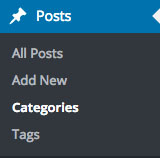
Click on Categories located under “Posts” in the sidebar navigation. See Below.
Step 2
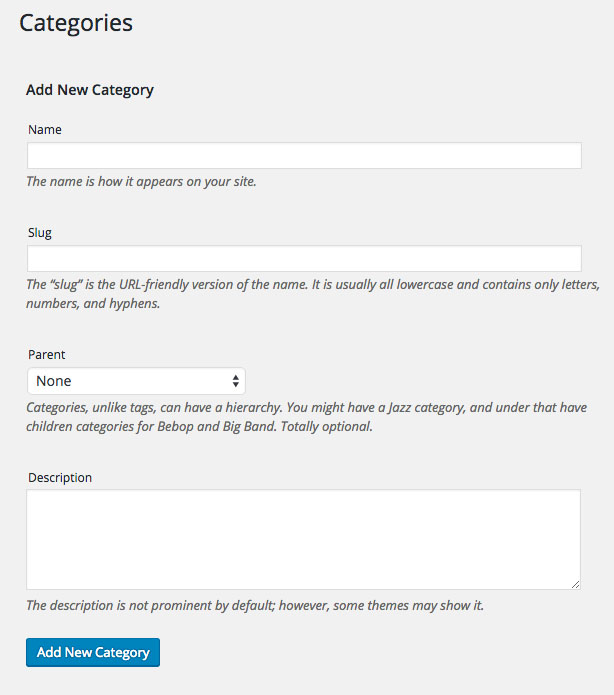
Fill in the fields in the form on the Categories page.
Step 3
If your category does not have a parent category click “Add New Category” as seen above. If your category is part of a another category such as “Books”, “News”, “Coupons”, etc… You can select the parent category in the “Parent” dropdown list seen below.

Step 4
Check your category list to confirm that your category was add in the proper relationship.

Categorizing your content can be very helpful for users trying to navigate your website. You can guide through your content using these simple tools. Share this with your friends who may have the same questions that you have.
Thanks!